HumanSpark Systems Map
The software I built to run my AI consultancy
I want to grow HumanSpark's revenue and do more valuable work for clients while keeping it a one-person consultancy. I enjoy consulting and teaching, and that's where I want my attention to go. I also have ADHD, which shapes a lot of what I build.
Some of these tools carry the details of my work so I don't have to. Others change what I can give a client, like a workshop handout that includes the questions people actually asked. Here are three I use in my own work.
45 projects across nine areas, all listed further down.
My approach
How I decide what to automate
I build these tools to have fewer things to hold in my head. After a client call, I want to be able to pick up where we left off. What did I promise? Who's waiting on me? The less time I spend piecing that back together, the more attention I can give the client.
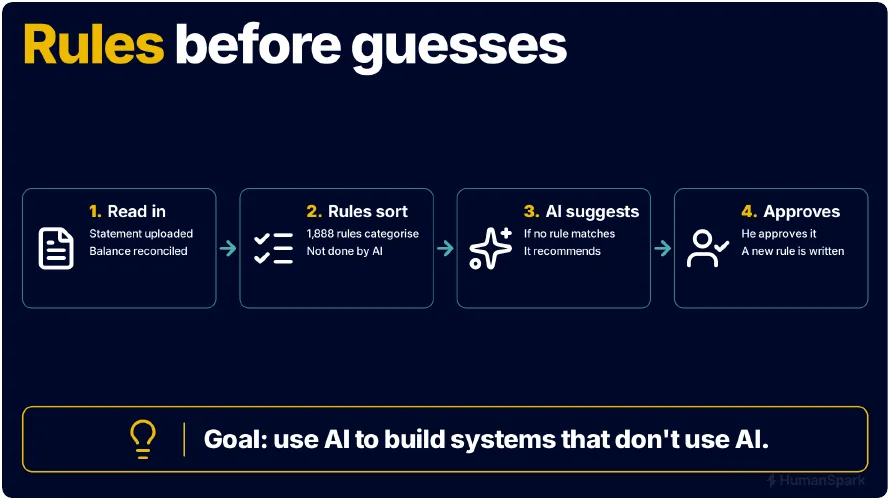
That's also why I use rules before guesses. If I've already worked out how to make a decision, I'd like the software to use what I've learned. Booky, my bookkeeping tool, first checks whether a bank transaction matches an invoice or follows a pattern in earlier transactions. If the category is still unclear, AI can suggest one. I approve the change before it goes into the books. If I keep making the same correction, it can become a rule. Next time that pattern turns up, Booky can apply the rule and skip the AI call.
When a task does need AI, I test models on work I actually do. I want to know which tasks a model on my own machine can handle reliably and where a cloud model does a better job. I also consider what information the task would send off my machine and whether I'm willing to share it.
What would you like your team to be able to do more of?
If one of these examples reminded you of something in your business, we can look at how your team handles it today, what a better result would look like and where AI might help.
Systems map
How it hangs together
Follow one workshop through it. The recording becomes a transcript in Meetingbot. Hindsight turns that into a recap and a handout, SparkForge lays them out, and this website publishes the page the group receives. Assistants reach all of it through one gateway, and a shared library, the local model server and the backups sit underneath.

Design rules
The five rules that make it work
Forty-five projects stay manageable for one person because every one of them follows the same five rules.
One writer per piece of information
If two tools could both change my task list, I could never be sure which version was true. So tasks have one owner (SparkWork), memory has one (SparkContext), invoices have one. Every other tool reads through that owner, or asks it to make the change.
A written agreement at every boundary
Where one tool relies on another, a short page says how to reach it, what it promises and what a failure looks like. Tools ask for what they need through that agreement and never reach into each other's data, so I can rebuild one without breaking the rest.
Assistants come in through one front door
AI assistants reach my systems through a single gateway that decides what each one may see. Most access is read-only, and changes arrive as proposals. The assistant proposing a change cannot approve its own proposal.
Fail loudly
A tool that cannot reach its source says "unavailable", never "none". The difference matters: "no overdue invoices" and "I couldn't check the invoices" lead to very different decisions. Backups are proved by restoring them, not assumed.
Local by default, cloud through one door
Confidential audio and text stay on my own hardware, served through one local model gateway. When a tool does use a cloud model, the call goes through one shared library that logs it, so I can see what left my systems. How I test which model does which job.
The projects
45 projects in nine areas
Each project says what it is for. Open its technical details to see how it works, how other tools connect to it and how its code is organised. Use "Copy link" to share one project on its own.
Platform
What everything else stands on: a shared client library, a gateway that gives AI assistants controlled access, secrets, backups and fleet configuration. Most other projects import SparkCore rather than talking to providers directly.
Shell and editor configuration, Claude Code rules and skills, and the deployment and inventory tooling that keeps every machine in the fleet converged.
Technical details and folder layout
- Built with
- Bash, Fish, Python, systemd; pytest
- Size
- About 43k lines, including 20k lines of test code
A single private repo holds shell configs (Fish for interactive, Bash for scripting), terminal and editor settings, systemd units, and a large .claude tree of rules, skills and hooks that govern how coding agents behave. A cascade deploy tool resets each host and user account to the repo's main branch. Bin scripts handle fleet repo inventory, git remote and tier checks, forge access sync and audit, and verification of convergence. A fleet repository inventory is published as a JSON contract that other tools read, stating per tree whether the probe actually looked.
How other tools connect
CLI deploy and verify commands; a JSON repo-inventory contract; symlink-deployed git hooks and agent rules on every host.
Folder layout
| .claude/ | agent rules, skills, hooks |
|---|---|
| bin/ | deploy, converge, inventory and forge-administration scripts |
| config/ | fish, git hooks and other tool configs |
| systemd/ | timers and units for fleet jobs |
| docs/ | fleet reference, plans, measurement traps, rules origins |
| tests/ | tests for the tooling |
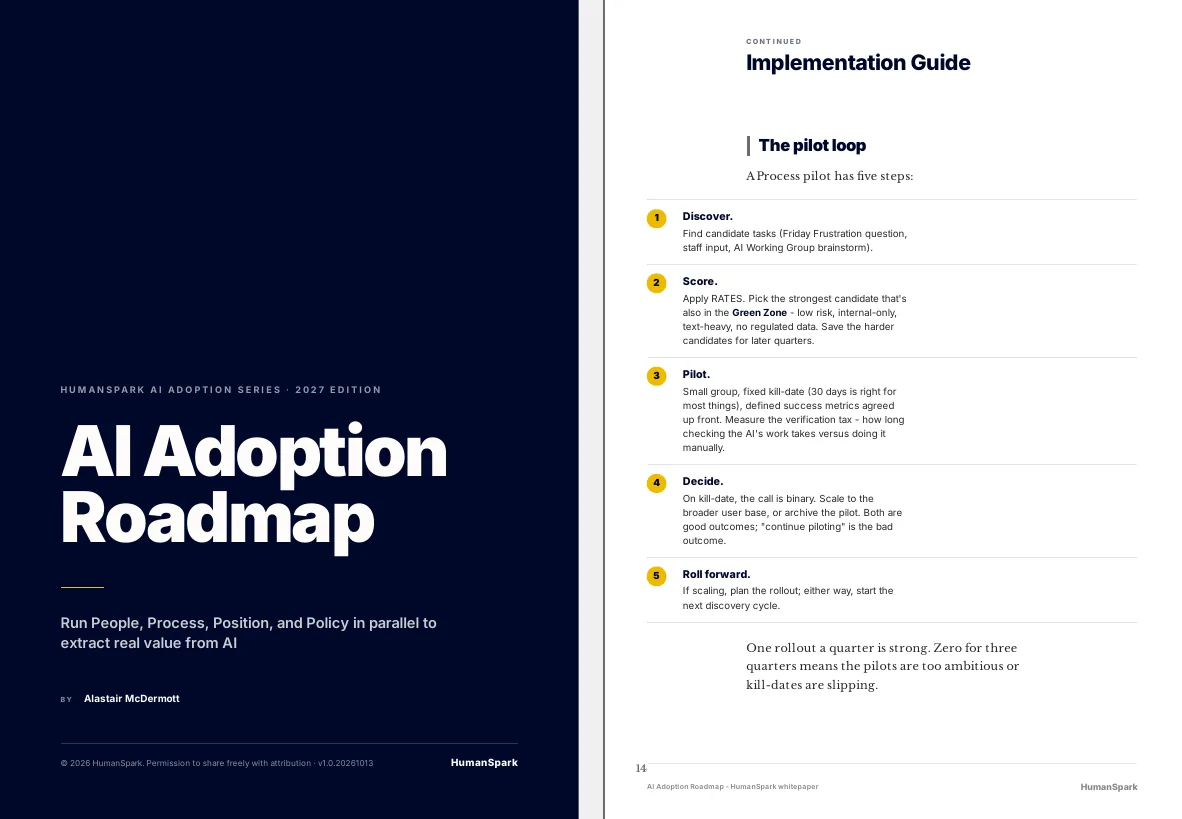
The shared Python client library that most projects in the ecosystem import for storage, email, LLM calls, secrets, speech-to-text and similar capabilities.
Technical details and folder layout
- Built with
- Python 3.11+, setuptools, optional extras (defusedxml, anthropic, requests); pytest
- Size
- About 42k lines, including 21k lines of test code
Each capability is defined as a Protocol (an interface) with interchangeable backends, and callers obtain one through a single connect() registry call. Backends cover file storage, email, LLM providers (including a call ledger and price book), images, entities, meetings, speech-to-text and a secrets loader that reads from the fleet vault. It has no mandatory dependencies; each capability has an optional extra. Releases are built as wheels stamped with the exact git commit so consumers can pin a precise revision, and a machine-checked allowlist defines which imports are public.
How other tools connect
Library import via a pinned wheel (and editable install for development); documented consumer contract page with a worked example and a check that distinguishes a real empty result from a silently degraded reader.
Folder layout
| src/sparkcore/ | library: storage, email, llm, images, entities, meetings, stt, secrets, config, retry, errors |
|---|---|
| tests/ | large test suite (about 100 files) |
| docs/ | consumer contract and design docs |
| deploy/, scripts/, tools/ | release build and verification helpers |
A family of self-hosted gateway servers that give Claude surfaces controlled access to repositories, doctrine search, email drafts, calendar, context, meetings and work data.
Technical details and folder layout
- Built with
- Python 3.12, FastMCP, MCP SDK, uvicorn, httpx (exact pins); systemd containment
- Size
- About 30k lines, including 12k lines of test code
Each gateway is an MCP (Model Context Protocol) server under one apps/ tree: exchange (read allowlisted repos and propose changes), doctrine (search and update business doctrine through a proposal-then-human-merge path), email, calendar, context, meetings, work, hindsight and forge. Access is read-first and fail-closed, with an allowlist per repo and bearer or OIDC auth, and the servers run as contained system services. The doctrine path has run end to end: a Claude surface proposes, a human merges, and an unattended reconcile re-indexes. The proposal bot is structurally unable to approve its own change.
How other tools connect
MCP tools over authenticated HTTP endpoints for claude.ai and Claude Code; a documented consumer contract.
Folder layout
| apps/exchange | repo read/write exchange MCP server |
|---|---|
| apps/doctrine, apps/reindex | doctrine search and reindex |
| apps/email, calendar, context, meetings, work, hindsight, forge | further gateways |
| apps/shared | config, credential chain, bearer verification |
| deploy/ | containment and service deployment |
| docs/ | consumer contract, doctrine how-to |
Per-machine infrastructure and the multi-copy backup system for the fleet, plus health heartbeat and alerting scripts.
Technical details and folder layout
- Built with
- Bash and Python scripts, systemd units and timers, borg/borgmatic; pytest
- Size
- About 30k lines, including 12k lines of test code
One repo is deployed to every machine and each host installs its own role based on its hostname. Its main remit is a 3-2-1 style backup: critical data exists in four places (original, local drive, a second machine, an off-site encrypted copy) using append-only encrypted borg repositories, with home directories and websites also covered. A large set of systemd units and scripts run backup freshness and headroom checks, restore verification, deployment drift checks, mail-mirror checks, enclosure health checks, and a fleet digest with alert de-duplication. The guiding rule is that only a restore drill proves a backup, not the existence of an archive.
How other tools connect
systemd timers on each host; a status-file heartbeat schema that apps write to report health into the fleet digest; a restore runbook.
Folder layout
| systemd/ | system and user units and timers per role |
|---|---|
| scripts/ | backup checks, restore verify, fleet digest, alerting, drift detection |
| etc/, opt/, hosts/, borg/ | host-role configuration and borg config |
| docs/ | restore runbook, architecture, hardware gotchas, heartbeat contract |
| tests/ | tests for the checks and alert logic |
The fleet's encrypted password and API-key store, with per-application secrets and tooling to add, rotate, remove and audit them.
Technical details and folder layout
- Built with
- Python and shell tooling, age and sops encryption, systemd units; pytest
- Size
- About 21k lines, including 9k lines of test code
Secrets live as encrypted files (one per application) using age keys and sops, committed to git so no readable value is ever stored in plain text. A plain manifest lists key names, owners, providers and rotation dates but never values. A deploy step copies the vault to a root-owned location on each machine, and applications load only their own credentials at startup through the shared library. Tools cover expiry watching, credential lifecycle, a loader health check, a sweep for stray plaintext credential files and a dead-man check. Access is per machine identity, deliberately narrow.
How other tools connect
Library call (the shared secrets loader in SparkCore) that loads a named app's credentials into the environment; operator CLI tools; systemd timers.
Folder layout
| apps/ | encrypted per-application secret files |
|---|---|
| tools/ | loader health, expiry watch, credential lifecycle, inventory and sweep tools |
| ops/, systemd/ | deployment helpers and timers |
| docs/ | consumer contract, design and migration notes |
| manifest.toml | value-free card index |
Assistant and attention
What should I do now? The working memory of the business: tasks, waits, relationships and the shared memory assistants consult.
My local AI assistant. It reads my tasks and deadlines, tracks contacts and the inbox, and nudges me through chat and calendar.
Technical details and folder layout
- Built with
- Python 3.12, plain-text state files, YAML config, systemd timers, chat bot integration, calendar APIs; pytest (very large suite)
- Size
- About 160k lines, including 93k lines of test code
I message it in a chat app and it understands tasks and deadlines in natural language and remembers recent conversation. Since November 2026 the tasks themselves live in SparkWork, and Sparky reads them; its own state is plain text files that can be read and edited by hand. It sends scheduled nudges (morning briefing, pre-flight reminders before events, end-of-day check-in, weekly review), reads the calendar and can create, cancel and reschedule events with confirmation, a short auto-fire window and an undo. It also handles unified inbox, escalation, relationship tracking and cron health. State changes by other programs go through a mutation socket rather than direct imports.
How other tools connect
Chat DMs for me; a brain mutation socket as the only supported write door; direct read seams and facade functions for consumers; systemd timers.
Folder layout
| app/ | assistant engine: actions, calendar, inbox, facts, contract, email ops, escalation |
|---|---|
| tests/ | about 360 test files |
| docs/ | design, plans, contract |
| tools/, scripts/ | operational helpers |
| systemd/ | timers and units for scheduled nudges |
What needs my attention, and who am I waiting on?
I run projects, sales conversations, deliverables and promises other people have made to me, all at once. A plain task list puts all of that in one column. It can't tell me which items are mine to move and which are sitting with somebody else, so everything looks equally urgent.
SparkWork keeps those things apart. It shows me what needs a decision or an action from me. Separately, it shows what I'm waiting for, from whom, what we agreed and when I should follow up.
My moveOpportunities past their stage's recorded time limit
Leadership training for a client's management teams
3 days in scoping (limit 2)
What I do next: finish the scope, or decide the time limit was wrong and change it.
Their moveExpecting a response
A client's team to send notes on the tasks they want to automate
Evidence: call of 16 November. Review on 20 November. Follow-up suggested.
What I do next: the review date has passed, so I check what we agreed on the call and decide whether a short nudge is warranted.
What changed: I stopped carrying other people's promises in my head. Each wait has a date to review it. When that comes around, I can check what we agreed and decide whether to follow up.
The design decision: every wait records where the expectation came from: the person's own word, or a call or email I can point to. Something they agreed to is treated differently from something I'm only hoping for, and that changes how firmly I follow up.
How SparkWork works
- Built with
- Python 3.12, FastAPI, Pydantic, Jinja2, uvicorn, SQLite
- Size
- About 85k lines, including 35k lines of test code
A single service owns the database and exposes a versioned JSON API (dozens of operations) plus my web pages such as Today, Review, Waiting For, Pipeline and Projects. Business rules live in an ops layer, with ten versioned workflows defined in config. A stdlib-only client and an MCP adapter (read and propose only, no write tool) let assistants use it. A legacy importer shadows the existing assistant's flat files so a migration can be proven. The OpenAPI spec is tested against the code so it cannot drift.
How other tools connect
HTTP JSON API under /v1 with OpenAPI, stdlib client, MCP over stdio.
Folder layout
| sparkwork/api/, ops/ | HTTP API and business rules |
|---|---|
| sparkwork/web/ | my web pages |
| sparkwork/migrations/, config/ | schema and workflow taxonomy |
| sparkwork/client.py, mcp_adapter.py | vendorable client and read/propose MCP adapter |
| sparkwork/legacy/ | shadow importer for the older assistant's files |
| frontend-spikes/ | UI experiments |
Next: how my assistants find what I decidedDiscuss a workflow like thisSee the full systems map
One unified web dashboard and login for the whole ecosystem, with no business logic of its own.
Technical details and folder layout
- Built with
- Python 3.11+, FastAPI, HTMX, Jinja2, httpx, websockets
- Size
- About 41k lines, including 17k lines of test code
A presentation layer built with FastAPI, HTMX and Jinja2 that pulls from several backend engines and shows sections for an actionable inbox, tasks, bookkeeping review, cash flow, tender feed, email triage, live coaching sessions, commitments, relationships, a focus queue and long-running jobs. Mutations go back to the owning engines through their supported interfaces, with pinned client versions. A public demo mode shows anonymised data with mutations blocked. Jobs outlive the browser connection.
How other tools connect
Web UI behind a login; public anonymised demo route.
Folder layout
| src/ | app code |
|---|---|
| templates/, static/ | HTMX and Jinja pages and assets |
| deploy/ | service deployment |
| docs/ | design notes |
| *-pin.json | pinned versions of SparkCore and engine clients |
The phone-call voice channel for the Sparky assistant.
Technical details and folder layout
- Built with
- Python 3.12, FastAPI, uvicorn, httpx, Pydantic; SparkCore LLM tiers; third-party telephony and TTS services
- Size
- About 32k lines, including 19k lines of test code
Inbound calls arrive via a telephony and voice-agent platform that posts per-turn chat requests and call lifecycle events to a small FastAPI brain exposed through a tunnel. The brain builds context (today's calendar plus the next three weeks), routes with an LLM, and uses Sparky's reader and writer modules as a library to read the calendar and email and to create reminders and calendar events, replying through a streamed text-to-speech pipeline. It is deliberately interim: once it shows what Sparky must expose to non-chat channels, the brain folds into a Sparky-side agent core and this becomes a thin transport adapter.
How other tools connect
HTTP endpoints called by the voice platform; no consumers of its own.
Folder layout
| src/ | brain pipeline, context builder, router, tools |
|---|---|
| config/, prompts/ | persona and configuration |
| tests/ | about 90 test files |
| systemd/ | service units |
| docs/ | v0 spec with acceptance criteria and plans |
A personal retrieval-augmented question-answering system over unstructured documents, run locally.
Technical details and folder layout
- Built with
- Python, FastAPI, HTMX, SQLite FTS5, ChromaDB, LLM API
- Size
- About 23k lines, including 11k lines of test code
Seven source types (folders, zips, email, cloud drives, web pages, feeds) are scanned, parsed and chunked with heading-aware and semantic splitting. Retrieval is hybrid: keyword search in SQLite FTS5 plus vector search in ChromaDB, combined by reciprocal rank fusion, then an LLM answers with citations. It has a CLI and an HTMX web dashboard with streaming chat, and two access tiers (admin on the private network, read-only via emailed magic links). One deployed instance indexes the company's doctrine documents for other projects to query.
How other tools connect
CLI, web dashboard and a loopback HTTP API documented in a contract page.
Folder layout
| src/ragbuilder/ingest/ | scan, parse, chunk, watch |
|---|---|
| src/ragbuilder/index/ | embedding and storage |
| src/ragbuilder/retrieve/ | BM25, fusion, answer generation |
| src/ragbuilder/cli.py | CLI |
| deploy/ | service helpers for the doctrine instance |
| tests/ | 79 test files |
The single owner of calendar access: a service that reads and writes calendar events for AI assistants, and checks each write actually landed.
Technical details and folder layout
- Built with
- Python 3.12, FastMCP and MCP SDK (exact-pinned), caldav and icalendar libraries, Google Calendar seam
- Size
- About 19k lines, including 6k lines of test code
It offers a small set of calendar operations (search, get, create, update, delete, free/busy, invite) over MCP. Writes go through a write policy and ownership guard, and each is read back to verify it really happened, including a test case where the read-back is deliberately blinded. The original backend was a CalDAV server, with iCalendar invitation building; since 2026-11 the Google Calendar backend sends invitations itself and the old mail-based sender was retired and guarded by a test.
How other tools connect
MCP tools over local HTTP and a write socket, consumed by the AI gateway, the assistant, and cal-intent.
Folder layout
| src/cal_mcp/ | service, operations, write_policy, verify, Google and CalDAV seams, models, audit |
|---|---|
| tools/ | consent, import, inventory and live probe scripts |
| docs/ | contract and plans |
| deploy/ | service units |
| tests/ | test suite |
Triages Irish public-procurement tender notices, scoring each against my business profile and publishing a daily digest and deadline alerts.
Technical details and folder layout
- Built with
- Python, SQLite, notmuch, requests-style page fetching, systemd timers, shared LLM/email library (pinned wheel)
- Size
- About 18k lines, including 7k lines of test code
It parses tender notification emails from the local mail index, fetches each tender's detail page, and scores it against keywords, regex-bundled themes, procurement classification codes and budget range. Results go into a SQLite store and a Markdown digest grouped into high, maybe and filtered bands, with deadline warnings. High-band tenders trigger a custom notification email, and the open set is published to the assistant (Sparky) over a local contract socket. Consumers use one command and two documents (tenders, deadlines), never the database or threshold.
How other tools connect
CLI; a contract command/socket serving tenders and deadlines documents; systemd timer; digest file and email.
Folder layout
| tender_scanner.py | main entry and pipeline driver |
|---|---|
| email_reader.py, tender_fetcher.py | parse notices and fetch tender pages |
| relevance_scorer.py, theme_matcher.py | scoring against profile |
| digest_writer.py, spark_writer.py, inbox_notifier.py | digest, assistant publish, email notice |
| contract_runtime.py | contract socket producer |
| tests/, test_fixtures/ | tests and sample notices |
| docs/, systemd/ | contract, plans, timer units |
What did we actually decide?
I used to copy summaries from one AI conversation into the next so I could pick up where I'd left off. That carried the discussion forward, but it left me with another question. Was I looking at something I'd agreed, an idea I'd considered, or a decision I'd since changed?
I built SparkContext so my AI tools can look up the earlier conversation, the current project document and the working notes. Each result tells me where it came from. When I change my mind, I can record the correction against the entry it replaces.
Recorded decision · daily brief
Sparky owns it, as an audio edition of its morning briefing. Build an access-controlled private feed before any brief ships. Weekdays, about 5 minutes, ready by 07:30.
- Standing
- claimed (user approval NOT verified)
- Usable as
- decision reported by an assistant: confirm before relying on it
What I did next: the new session picked the work up without me explaining it again. The label also told it that an assistant had written this down, not me. So it treated the decision as a firm plan, not a finished fact, and this page describes the daily brief as planned, not live.
The design decision: an answer is labelled by where it came from and how much weight it can bear. Only something I've accepted counts as decided. A tool that filled a gap with a plausible guess would be worse than no tool.
Worth trying in your own team: if your team uses AI to prepare a proposal or a project handover, ask it to show you where a decision was agreed. An old conversation can explain the background. You still want to know which instruction applies today.
What happens when there's no recorded decision?
Asked
What did I decide has to happen before a workshop handout goes to a client?
SparkContext returned
- Accepted knowledge
- None
- Recorded working context
- None
- Other matches
- Two project notes that matched on words, not on this question
It returned no accepted decision and no matching note, and didn't fill the gap with a guess. So I went to the current project document, the publishing contract for my workshop pages, which is where the rule lives. Nothing reaches a client until I've seen where it's going and the exact files. The email to attendees is only ever a draft, and I send it myself.
How SparkContext works
- Built with
- Python 3.12, MCP/FastMCP, uvicorn, ijson, numpy, SQLite index; optional ONNX embeddings
- Size
- About 14k lines, including 4k lines of test code
It holds three clearly labelled kinds of knowledge: history from provider exports (Claude and ChatGPT), current docs indexed from committed git versions, and working context recorded during conversations, always marked provisional. Exports pass a verified intake (archive hashing, zip safety inspection, quarantine on failure) before any index write, and one set of secret-screening rules covers every import and capture. Hooks give a brief at session start and capture messages automatically. Remote clients see less than local ones: confidential material stays on the local network and only approved sanitised facts go out. Semantic recall is an optional local-embedding experiment.
Being tested, not in production: which local model should propose new memory entries for me to accept. No results are published yet.
How other tools connect
MCP connector for claude.ai, hooks for Claude Code and Codex, CLI intake.
Folder layout
| sparkcontext/ | intake, index, search, MCP server, CLI |
|---|---|
| knowledge/ | approved knowledge exported to git |
| tools/, deploy/, config/ | utilities, services and retrieval config |
| proposals/, docs/ | design and sharing rules |
See the workshop materials that approval rule applies toDiscuss a workflow like thisSee the full systems map
Turns a loosely worded scheduling request into either a complete proposal, one specific question, or a refusal, and only acts after human approval where others would be affected.
Technical details and folder layout
- Built with
- Python 3.12, FastMCP (exact-pinned), Jinja2 for the approval page, no calendar libraries on purpose
- Size
- About 11k lines, including 4k lines of test code
A caller sends a scheduling phrase to resolve; the service returns a plan. Nothing has external effect until commit, and any operation that would reach someone else's inbox needs me to approve the exact execution plan on a separate browser-based approval page that AI callers cannot reach. Committing hands the approved plan to the calendar service, which owns the transport. Callers supply operation identity so retries recover safely.
How other tools connect
MCP over HTTP for resolve/commit/status; a separate authenticated browser surface for review/approve.
Folder layout
| src/cal_intent/ | resolve/commit service, proposals, plan builder, calendar client, audit |
|---|---|
| src/cal_approval/ | browser approval surface and its socket |
| tools/ | lifecycle rehearsal and probes |
| docs/ | the contract, written before the code |
| tests/ | test suite (largest directory) |
Reading, triage and drafting. Email comes in, gets sorted and summarised locally, and drafts go out only when a person sends them.
Sorts my incoming business email into folders, tracks which threads still need a reply, and writes a daily digest with draft replies waiting in the Drafts folder.
Technical details and folder layout
- Built with
- Python 3.12, SQLite, notmuch, IMAP, rich/readchar for interactive triage, shared LLM and email library (pinned, hash-verified wheel), systemd timers
- Size
- About 83k lines, including 49k lines of test code
It reads new mail from a local, search-indexed copy of the mailbox, then classifies each message with known-sender rules first and a large language model (through the shared LLM layer) as fallback. Messages are moved between IMAP folders (INBOX as action queue, Reading for newsletters, Archive for the rest), and every decision is recorded in a local SQLite triage database. A thread-level review groups conversations into states such as reply now, waiting on them, archive. The digest step composes reply drafts for urgent and overdue items but never sends anything. Other services read triage state through a versioned command-line contract, not the database.
How other tools connect
CLI (clearmail triage, digest, contract); a versioned read-only contract command published as a hash-pinned client artefact that other projects install; systemd timers.
Folder layout
| clearmail/ | core package: CLI, triage, config, LLM client, prompts, contract producer and client |
|---|---|
| docs/ | about 100 design, plan and contract documents |
| tests/ | large test suite |
| scripts/ | operational and repair scripts, venv bootstrap, contract-client build and publish |
| systemd/ | timer and service units |
A small MCP service that lets an AI assistant gateway search and read my mail and create draft replies, and nothing else.
Technical details and folder layout
- Built with
- Python 3.12, FastMCP (exact-pinned), MCP SDK, notmuch seam from the shared library, no database
- Size
- About 11k lines, including 4k lines of test code
It composes two things it does not own: the local mail search index (search, threads, bodies) and ClearMail's read contract (does a thread await a reply, and for how long). It exposes three read tools to an upstream gateway with frozen names, plus a drafting surface (behind a feature flag) that writes only a draft message file into the mailbox Drafts folder. The mail sync tool decides when drafts reach the provider, so the service never sends. It stores and caches nothing.
How other tools connect
MCP tools over a local socket, consumed only by the AI-assistant gateway (sparkgate).
Folder layout
| src/mail_mcp/ | service.py (tools), drafts, draft_tools, compose (drafting), safety, audit, config, models |
|---|---|
| deploy/ | service unit files |
| docs/ | consumer contract and design notes |
| tests/ | test suite |
A tightly restricted transport that delivers finished scheduled reports to approved recipients, with no general-purpose send.
Technical details and folder layout
- Built with
- Python 3.12, standard library only (smtplib, imaplib, email), zero runtime dependencies, local socket, ledger file
- Size
- About 5k lines, including 2k lines of test code
A producer hands over a finished report under a delivery key. The key's entry in a registry I edit decides the recipients; the request itself has no recipient field and any recipient-shaped field is refused. Delivery is idempotent by key, reports an honest 'uncertain' state, and signs messages with a header so ClearMail can tell a delivered report from self-mail. Three verbs only: deliver, delivery status, unresolved deliveries. Failure alerts deliberately go elsewhere so the alert path does not depend on the service it might be reporting on.
How other tools connect
Unix-socket verbs reached through a shared client in the common library; one registry file controls recipients.
Folder layout
| src/mail_outbound/ | server, delivery, registry, ledger, transport, inbound, audit |
|---|---|
| tools/ | socket probe, registry merge, delivery relay |
| deploy/ | service units |
| tests/ | test suite |
Meetings
From recording to promises. Recordings become transcripts on the local machine, then facts, commitments and recaps.
Fetches meeting transcripts from recording services (and from the local transcription service), gives them consistent names, and writes them to one canonical folder.
When I need to know exactly what someone said in a meeting, a summary isn't enough. Meetingbot keeps every transcript in one place. A search returns the passage as it was spoken, with the meeting it came from and where in the recording it sits. I can quote it accurately or read on from that point.
- quote
- the passage, word for word as spoken
- meeting
- its title and date
- ref, start, end
- which transcript, and where in it
It only searches spoken words, never the generated summaries. Pulling out commitments and decisions is MeetingMind's job, and turning a workshop into a recap is Hindsight's.
How Meetingbot works
- Built with
- Python 3.11, requests, SQLite state, systemd timers, borg backup, shared library
- Size
- About 14k lines, including 6k lines of test code
Scheduled timers pull recordings from the Fathom and Otter cloud APIs, and a local source accepts transcripts from the on-prem speech-to-text service. Each transcript is written as a paired Markdown and JSON file under a date-and-slug name, with no fallback location. Further steps map attendee emails to display names, track staleness (alert if a source goes quiet), and back the folder up daily. The shared folder is the whole contract with the downstream meeting-fact extractor.
How other tools connect
CLI (fetch, status, local); a canonical transcripts directory as the data contract; systemd timers.
Folder layout
| meetingbot/ | cli, pipeline, source adapters, naming, markdown, classify, staleness, contacts, search index, MCP HTTP |
|---|---|
| scripts/, deploy/ | ops scripts and unit hooks |
| docs/ | contract and notes |
| tests/ | test suite |
Browse all 45 projectsDiscuss a workflow like thisSee the full systems map
A real-time coaching overlay that detects when a live session drifts off-agenda, with a sales-coaching mode.
Technical details and folder layout
- Built with
- Python, PyQt6, streaming STT, LLM calls, sentence-transformers, rapidfuzz, SQLite (WAL)
- Size
- About 13k lines, including 6k lines of test code
It captures live audio, streams it to speech-to-text, and keeps a sliding transcript window. A phrase detector and an LLM classifier flag tangents against a loaded agenda, with temporal smoothing and cooldowns so alerts are not noisy. A sales mode adds stage-aware situation classification, anti-pattern detectors and call memory. Sessions are stored in SQLite and a post-call summary with actions is generated. Past sessions are exposed to other apps by a read-only single-file command.
How other tools connect
Terminal CLI for live runs; a read-only stdlib command that lists and fetches stored sessions.
Folder layout
| src/sessionpilot/agenda/ | agenda loading and progress tracking |
|---|---|
| src/sessionpilot/detection/ | tangent detection pipeline |
| src/sessionpilot/sales_coach/ | sales coaching mode |
| src/sessionpilot/persistence/ | session store and post-call summary |
| src/sessionpilot/stt/ | speech-to-text backends |
| src/sessionpilot/contract.py | read-only published interface |
| tests/ | 40 test files |
Reads each meeting transcript once and keeps the durable facts (commitments, decisions, relationship signals, summaries), each backed by a verbatim quote.
Technical details and folder layout
- Built with
- Python 3.11, FastAPI, uvicorn (exact-pinned), SQLite, shared LLM library, systemd timers
- Size
- About 11k lines, including 5k lines of test code
New transcripts newer than a watermark are split into segments and sent to a language model that returns structured facts. A fact is stored only if its quote genuinely appears in the spoken text, which drops hallucinations, and the 'who is responsible' call is cross-checked against who actually spoke the line. Facts land in SQLite and are served read-only through a small HTTP API; my verdicts on commitments (resolutions) are stored separately. A judge module scores extraction accuracy.
How other tools connect
Loopback HTTP API (commitments and health); facts store opened read-only by the service; extractor is the only writer.
Folder layout
| meetingmind/ | extractor, segments, attribution, store, query, api, resolutions, judge modules, pipeline, CLI |
|---|---|
| tools/ | closeout and coverage checks |
| docs/ | contract and design notes |
| systemd/ | units |
| tests/ | test suite |
Produces a weekly commitments briefing deck by composing facts from the meeting-intelligence service with the slide renderer, and serves a phone-friendly review page.
Technical details and folder layout
- Built with
- Python standard library only (no dependencies, no producer source), systemd, Make
- Size
- About 8k lines, including 3k lines of test code
It fetches open and overdue commitments over HTTP from the meetings service, applies two windows on different axes (open by meeting date, overdue by due date), builds deck source and hands it to the SparkForge renderer as an executable, producing a PDF. It owns no facts and renders nothing itself. If the producer is unreachable it exits with an error and renders nothing, never an empty deck; five outcomes (available, empty, unavailable, invalid, stale) are kept distinct and stale data is stamped with its age. A serve mode also presents proposals from a GTD discovery audit one per phone screen for review.
How other tools connect
CLI with dry-run and as-of options; small web server for review; make proof target.
Folder layout
| briefdeck/ | selection, composition, CLI and review server |
|---|---|
| bin/ | entry script |
| deploy/, systemd/ | service and timer deployment |
| docs/CONTRACT.md | contract and Golden Path definition sheet |
| tests/ | tests |
Detects finished local Zoom recordings, feeds their audio into the transcription pipeline, and separately supports an explicitly approved workshop-video publishing step.
Technical details and folder layout
- Built with
- Python 3.11, SQLite, ffprobe/ffmpeg, no runtime dependencies, Bunny Stream API
- Size
- About 5k lines, including 2k lines of test code
It watches recording folders and declares one ready only after files are non-empty, size and modification-time inventories are stable, both ends are readable, probes report a positive duration, and every file is hashed. Audio is staged to the transcript pipeline, and state lives in SQLite across independent dimensions (processing, retention, publication, captions) with an append-only event log. Publishing to Bunny Stream with local captions is a separate command that refuses unless the recording is marked publishable and has a checksum-verified archive. Automatic ingest never imports publishing code.
How other tools connect
Two CLIs: meetings (scan, run, status, keep/discard, archive) and video-publish.
Folder layout
| src/waveflow/ | scanner, pipeline, db, media, archive, bunny, captions, publisher, cleanup, preflight |
|---|---|
| docs/ | contract, architecture, recon, deployment, owner actions |
| deploy/ | unit files |
| tests/ | adversarial test suite |
On-prem meeting transcription: turns a meeting recording into a finished Markdown transcript with me distinguished from other speakers, with no cloud call.
Technical details and folder layout
- Built with
- Python (stdlib HTTP service), whisper.cpp, Silero VAD, WeSpeaker embeddings, ffmpeg, systemd timers
- Size
- About 3k lines, including 1k lines of test code
A client POSTs an audio file plus metadata to a small HTTP service on the inference box. The audio is converted, voice-activity detected, transcribed with a local Whisper model, and a target-speaker embedding labels which speaker is me and which is the client. A custom vocabulary of names, rebuilt weekly from the assistant's knowledge and other sources, is fitted into the model prompt to improve spelling of names. Output is a MeetingMind-format note that the existing pipeline picks up unchanged.
Chosen by testing: the larger Whisper model was more accurate than the smaller one (2.40% against 3.35% word error rate), without voice-activity detection Whisper invents "Thank you." over silence, and telling me apart from other speakers was 97.2% correct across four real calls. F45, F44, F46.
How other tools connect
Authenticated HTTP service (transcribe and health) on the inference box; consumers include meetingbot's local source.
Folder layout
| meeting_stt/ | service, producer, speaker, prompt_budget, lexicon builders |
|---|---|
| scripts/ | provisioning, self-containment check, weekly lexicon rebuild |
| systemd/ | self-check and lexicon timers |
| docs/ | contract and dependencies |
| tests/ | tests |
Finance
Bookkeeping assistance and personal financial planning, described here by mechanism only.
An AI-assisted bookkeeping tool that categorises bank transactions in an accounting package, with a human approving every change.
Rules come first because a deterministic rule gives the same result for the same inputs. When a language model samples from several possible answers, the result can vary even with the same input. That sampling is stochastic. In Booky, the model's answer is a suggestion I review.
Technical details and folder layout
- Built with
- Python 3.11, SQLite, pdfplumber and camelot for PDF extraction, FreeAgent API, shared LLM library, systemd timers, optional web frontend
- Size
- About 143k lines, including 83k lines of test code
Bank statements (PDF) are extracted twice and cross-validated into CSV, then uploaded. Unexplained transactions pass through deterministic rules, invoice matching and history-based inheritance first; an LLM is consulted only for what is left and only to propose. Nothing changes the books until I approve it in a review step, and repeated identical corrections are promoted to fixed rules. It also provides a reproducible statistical cash-flow forecast and publishes several versioned read contracts (position, bookkeeping state, cash future, job health) over a local socket.
How other tools connect
CLI; JSON export document; socket-served contract documents; systemd timers.
Folder layout
| src/booky/ | about 200 modules: ingest, matching, rules, review, forecast, payroll, config, contract |
|---|---|
| tests/ | large test suite |
| docs/ | architecture, contract and plans |
| scripts/, systemd/ | scheduled jobs and units |
| bin/ | contract entry point |
A command-line planning tool that helps a sole-trader company director decide how much salary to draw each month and what the business should do with the rest.
Technical details and folder layout
- Built with
- Python 3.12, SQLite, TOML config, pdfplumber, shared LLM and email library
- Size
- About 20k lines, including 10k lines of test code
A deterministic core reads configuration files, a bookkeeping export and a local state database, applies a set of rules and hard gates through pure calculation tools, and assembles a context. An optional LLM advisor adds narrative only, with euro figures validated and a fallback to a fake advisor. It produces a weekly digest email with provenance-labelled recommendations and verifies statement-to-ledger chains before ingesting bank exports.
How other tools connect
CLI and weekly digest email via a systemd timer; consumes Booky's export document.
Folder layout
| src/personalcfo/ | rules, tools, forecast, advisor, adapters to the bookkeeping tool, statement extraction, CLI |
|---|---|
| docs/ | design briefing and plans |
| examples/ | sample configs |
| tests/ | test suite |
| tools/ | systemd digest units |
Content, documents and media
Documents, decks, certificates, narration and the website.
A document engine that turns YAML or Markdown source into print-ready, brand-consistent PDFs (and EPUB for books).
Technical details and folder layout
- Built with
- Python, Playwright/Chromium, Tailwind CSS standalone binary, Ghostscript and poppler for book builds; file-based templates and QA baselines
- Size
- About 133k lines, including 56k lines of test code
Source files (slide decks, proposals, documents, whitepapers, books and similar kinds) go through one rendering pipeline that applies HTML templates, Tailwind CSS and a headless Chromium print step. Every build then runs a large suite of quality gates (overflow, orphaned headings, trim safety, font embedding, visual and content fingerprints, and many more) and fails loudly if a page is wrong. Rendering and publishing are deliberately separate operations: render produces an artefact plus a manifest, archive publishes an existing artefact and returns a receipt. The governing idea is that a rendered page is the only proof a PDF is right.
How other tools connect
Two CLI commands (render and archive) documented in a consumer contract page; callers need no knowledge of the internal environment.
Folder layout
| gates/ | build-time quality gates that inspect rendered output |
|---|---|
| templates/ | HTML templates per document kind |
| patterns/ | reusable layout patterns |
| tools/ | helper scripts |
| content/ | sample and canonical source content |
| static/ | fonts, images and brand assets (most of the tracked files) |
| epub/ | EPUB output support for books |
| tests/ | test suite |
| docs/ | contract page, plans, history |
| bin/ | the two supported command-line entry points (render, archive) |
The WordPress theme, custom plugins and publishing scripts behind the HumanSpark public website.
Technical details and folder layout
- Built with
- PHP, WordPress, CSS, vanilla JS; scripts in Python/PHP; MariaDB via WordPress
- Size
- About 97k lines, including 5k lines of test code
A hand-written theme (no CSS framework, no JS bundler beyond minification) with custom post types, templates and a design-token stylesheet set. A dozen small plugins add site features: cache purging, email sign-up flows, page-copy to Markdown, search, redirects, testimonials, a text cleaner, an admin dashboard, and the REST routes that the audio and podcast pipelines use. Scripts publish content, podcast episodes and post-event follow-up pages. Several consumer contracts describe how other projects publish into it.
How other tools connect
WordPress REST routes and publishing scripts; four documented consumer contracts (podcast, post audio, carousel specs, workshop follow-up).
Folder layout
| theme/ | WordPress theme (CSS, templates, helpers) |
|---|---|
| plugins/ | custom plugins (cache, email flows, post-audio, search, redirects and others) |
| scripts/ | publishing and maintenance scripts |
| docs/ | 282 files: contracts, plans, history |
| plans/ | plan documents |
| assets/ | shared assets |
The production pipeline for my podcast, from raw recording to published episode.
Technical details and folder layout
- Built with
- Python, SQLite state database, ffmpeg, yt-dlp, systemd timer; calls transcription and LLM services
- Size
- About 33k lines, including 11k lines of test code
Each episode moves through a resumable stage machine (audited, downloaded, transcribed, processed, outro, drafted, published) with every transition stored in SQLite. It transcribes, levels and masters audio, adds an AI-voiced intro and a rotating call-to-action outro, and has a language model draft show notes and chapters. The run stops at 'drafted' so a human reads the notes; publishing to the podcast host is a deliberate manual gate. Five lanes feed one publish path: an imported archive, a video archive, website posts, local recordings, and guest appearances.
How other tools connect
CLI plus systemd timer; publishes to RSS host and to the website's podcast section.
Folder layout
| poddy-pipeline/pipeline.py | command-line entry for the stage machine |
|---|---|
| poddy-pipeline/stages/ | one module per stage (download, transcribe, level, outro, publish, repod and more) |
| poddy-pipeline/deploy/ | service, timer and installer |
| poddy-pipeline/tests/ | tests |
| docs/ | 89 files of plans and notes |
| user-guide.html | human-friendly guide |
What do participants take away from my workshops?
After a workshop I want each person to leave with something they can use at their desk the following week: the ideas we covered, the prompts we tried, and answers to the questions they asked about their own work.
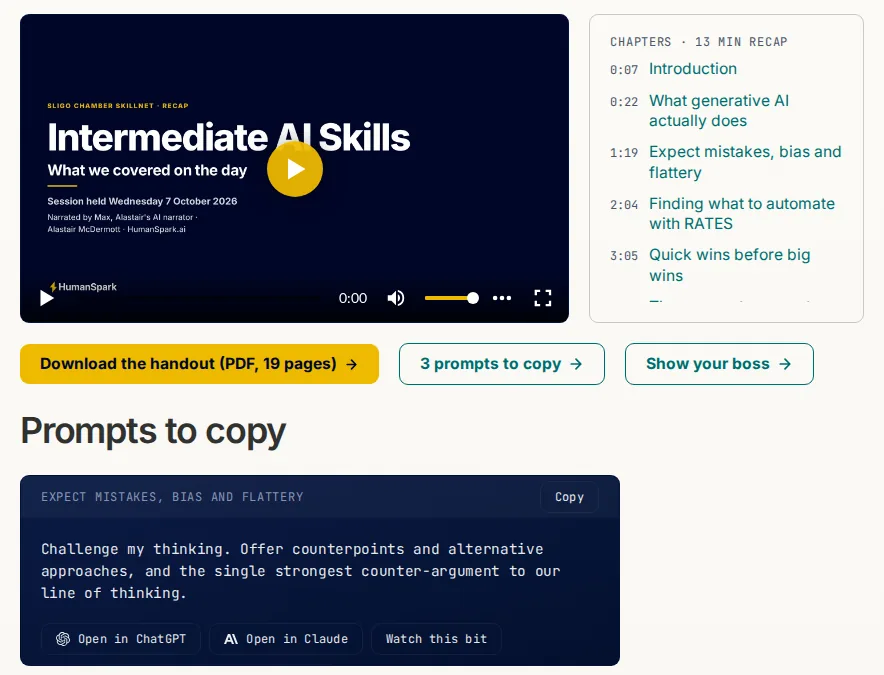
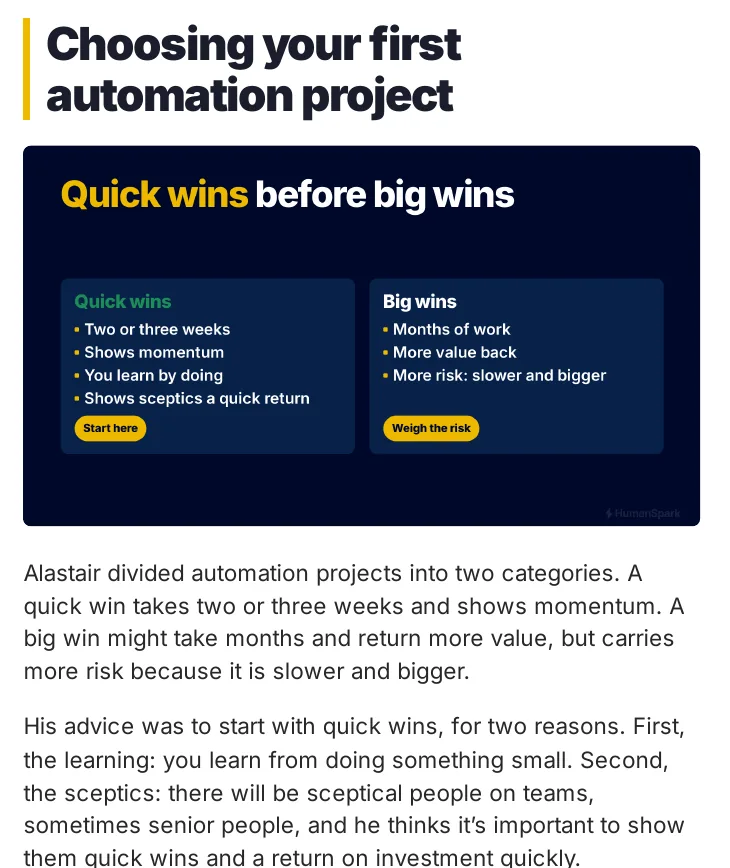
A recap written from my slides would only cover what I planned to say. Often the most useful part of a session is a question someone asked about their own job, and that only exists in the recording. So Hindsight works from the recording, and each group gets a private page with a handout, a short narrated recap and the full recording with chapters.
What the software checks: every claim in the recap script is checked against a passage of the transcript, and the script is checked against my house rules. When the page is published, fourteen automatic checks run. They confirm that it is locked, that the password opens it, that search engines can't index it and that the handout downloads in full.
What I check myself: I read the handout and the page. I also play the video once, because no automatic check can prove a video plays for a real visitor. Nothing is released until I've approved the exact files. The email to attendees is created as a draft, and I send it.
The design decision: the pipeline runs unattended right up to the point where something would reach a client, and stops there. Everything before that point is cheap to redo. Sending is not.
How Hindsight works
- Built with
- Python, LLM claim checking via shared library, ffmpeg and pdf-to-image rendering, presentation tool, Bunny Stream upload, a loopback MCP server
- Size
- About 25k lines, including 10k lines of test code
From a transcript it curates out small talk, has an LLM write a spoken-style script, then checks house rules and fact-checks every claim against transcript passages. A local text-to-speech engine narrates it, a presentation tool renders a slide per section, and an assembler builds a captioned 1080p video with an animated on-screen narrator. An unattended pipeline runs the whole flow from inbox to draft web page and email draft, never sending anything. It also mines transcripts for a content corpus and exposes a read-oriented connector for the AI assistant.
How other tools connect
CLI runner over a session folder; unattended timer pipeline; loopback MCP connector for the assistant; file-based contract to the slide and web tools.
Folder layout
| tools/ | about 38 modules: runner, auto pipeline, claim check, script check, assemble, narrator, bunny, curate, bank, MCP, page |
|---|---|
| prompts/ | prompt files for notes and script |
| profiles/, brand-bundle/ | narrator looks and brand assets |
| docs/ | contract, plans, lessons, video rules |
| tests/ | test suite |
Next: how I keep track of what needs meDiscuss a workflow like thisSee the full systems map
An exact-word audio production capability: give it approved text and it returns narrated audio files with captions. I also use it for a private podcast: briefings and notes I write for myself, narrated so I can listen to them away from my desk. A short daily audio brief built from SparkWork and SparkContext is planned.
Technical details and folder layout
- Built with
- Python 3.12, requests; audio assembly with a sample-accurate timeline; content-hash identity; systemd units for the batch
- Size
- About 12k lines, including 6k lines of test code
A single operation, render_audio, takes source text, a voice profile and requested formats and returns an immutable manifest of artefacts (MP3, chapter and transcript captions). It speaks the author's words verbatim: there is no language model in the path, and a fidelity gate compares token streams and aborts the batch on any divergence. Deterministic spoken-form rules (years, percentages, currency, URLs) apply only at the speech boundary. Identity is content-addressed, so changing the text, engine or render settings automatically requeues affected work. A website adapter fetches posts needing audio, renders them and posts the results back for human review.
Chosen by testing: the narration voice was picked by ear from eight British speakers across several engines, and Chatterbox beat VoxCPM2 on both final voices. F56, with every sample in VOICES.md.
How other tools connect
Python operation and CLI; artefact archive that other projects read without importing code; a receiver POST contract on the website side.
Folder layout
| src/ | rendering core plus website adapter (orchestrator and client) |
|---|---|
| docs/ | capability page, consumer contract, decision records |
| tests/ | 40 test files |
| tools/ | wrapper scripts |
| systemd/ | batch service and timer units |
Tooling that measures my own recorded speech so drafts can be checked against how I actually talk.
Technical details and folder layout
- Built with
- Python (standard library only), Make; derived working data kept outside git
- Size
- About 2k lines, including 233 lines of test code
A single entry command offers find (how do I say this), profile (measurable characteristics) and analyse or compare (does this draft sound like me). Corpus preparation, vocabulary mining and measurement are small standard-library scripts. A shareable subset (a draft checker and an anonymised lexicon) works anywhere; the full corpus never leaves one machine and is not in the repo. It deliberately reports evidence and measurements and does not do editorial rewriting.
How other tools connect
One command with JSON output and a versioned envelope.
Folder layout
| bin/ | the single supported command |
|---|---|
| tools/ | private implementation scripts |
| shareable/ | portable checker and anonymised lexicon |
| tests/ | consumer proof of the public surface |
| docs/ | contract page and corpus audit |
Local inference
Serving and benchmarking local models on the inference box. What the inference box can and cannot do is measured in the public Local AI evidence.
When is a local model good enough for the job?
Before I trust a model with part of my work, I test it on examples of that work. A model that handles one step well can struggle with the next, so I start with the job, decide what a usable result looks like, and only then compare models.
The mistake I care about: in one of ten fictional client-writing tasks, the local model at its lightest setting left out a €2,400 deposit and why it wasn't refundable. It also offered a follow-up nobody had agreed to. My automatic checks look for invented figures, and they found nothing, because neither problem is a wrong number. That's the kind of mistake I care about when I decide which model to use and what I need to review myself.
What I do now: a draft that goes to a client comes from a frontier cloud model, which beat my local setup on those tasks at every setting, as two blind judges scored it. If a local model drafts something client-facing, I edit it myself before it's sent.
The local model still earns its place. It was set to think as hard as it could, and a real coding fix took a median of 19 minutes, so I tested a different chat template with a lighter reasoning setting.
- The job
- Real multi-file coding fixes from my own projects, checked by each project's tests, plus eight kinds of everyday work: writing, document questions, conversations and tool use.
- Good enough meant
- Matching maximum thinking on the same tests.
- Coding
- 8 of 10 tasks fixed by both. Median minutes per task: 19.1 at maximum thinking, 5.8 with the other template at the lighter setting.
- Everyday work
- As good or better on six of eight kinds of work, in 20.6 minutes against 49.9. The one shortfall: answering from a large pack of documents, 24 of 26 against 26 of 26.
What I use now: since 13 November 2026 that lighter configuration is the default. Document questions where an unsupported figure would be costly still ask for more thinking. That routing is my judgement; the in-between setting wasn't tested on those questions.
The limits: with ten tasks and one attempt per setting, I wouldn't draw a conclusion from a one-task difference. The everyday tests are single attempts too, on one machine and one setup. The full method and results are public: client drafting (F189), coding (F187), everyday work (F186) and what my setup runs now.
How SparkBench works
- Built with
- Python and shell tooling, llama.cpp, promptfoo suites, containerised TTS engines, markdown/CSV/JSON results
- Size
- About 80k lines, including 6k lines of test code
Pre-registered experiments (predictions written before runs) measure models, serving configurations, speech engines and agentic workloads, with findings recorded in a numbered register and raw outputs kept as evidence. Tools handle verified model downloads, benchmark legs with thermal capture and evaluation suites. Results are packaged for client-facing research and published through a public repository.
How other tools connect
Local scripts; public output is the HumanSpark/Local-AI repository with numbered releases.
Folder layout
| results/ | experiment outputs and raw evidence (about 1,975 files) |
|---|---|
| tools/ | benchmark, fetch and eval scripts |
| spikes/ | reusable eval suites and exploratory work |
| docs/ | findings register, harness rules, plans |
| tts-bench/ | text-to-speech engine comparison |
| reports/ | canonical report sources |
| tests/ | harness tests |
| brand-kit/, reference/ | supporting assets |
Browse all 45 projectsDiscuss a workflow like thisSee the full systems map
The private inference gateway that serves text, speech and image models from the local GPU server behind one door and one key.
Technical details and folder layout
- Built with
- Python gateways, llama.cpp server, TTS engines, FLUX image model, Caddy, systemd units, TOML model manifest
- Size
- About 14k lines, including 6k lines of test code
It hosts the language model server plus speech engines (two text-to-speech voices) and an image generator, and owns which models are resident and the memory safety around them. Residency is pinned to a gated set of models chosen by benchmark evidence; asking for a model that is not loaded fails fast rather than triggering a swap. A reverse proxy and an auth sidecar front everything. Guard code and swap gates protect against known GPU memory failures, and request logging and acceptance checks measure that a response is real rather than successfully empty.
How other tools connect
One authenticated HTTP API on the private network (OpenAI-style text, speech and image routes), documented in a consumer contract.
Folder layout
| systemd/ | 13 unit files for gateways, guard and vision services |
|---|---|
| ops/ | install, mode switching, acceptance and gate scripts |
| models.toml, serving.conf.default | model manifest and serving flags (one writer) |
| model_guard.py, swap_gates.py | memory-safety guard and gated model swaps |
| *_gateway.py | per-modality gateways (text, speech, image) |
| auth_sidecar.py | key check |
| tests/ | 25 test files |
Utilities
Small tools that each do one job.
A file organiser that sorts cloud-drive files by rules, patterns and AI classification, previewing before it changes anything.
Technical details and folder layout
- Built with
- Python, YAML config, SQLite plan store, LLM classification, shared core library
- Size
- About 6k lines, including 4k lines of test code
Files are classified by three tiers in order: exact YAML rules, fuzzy pattern heuristics with confidence, and finally an LLM that sees filename, path and a small content snippet. Anything unclassified is left alone. It runs in preview mode by default, builds a stored plan, passes safety checks and only then applies moves and renames.
How other tools connect
CLI (tidybot run, with --apply).
Folder layout
| src/tidybot/scanner.py | enumerates files |
|---|---|
| rules_engine.py | tier 1 rules |
| pattern_matcher.py | tier 2 patterns |
| llm_classifier.py | tier 3 AI |
| planner.py | plan building |
| executor.py | applies approved plans |
| safety.py | safety checks |
| config/ | rules and patterns |
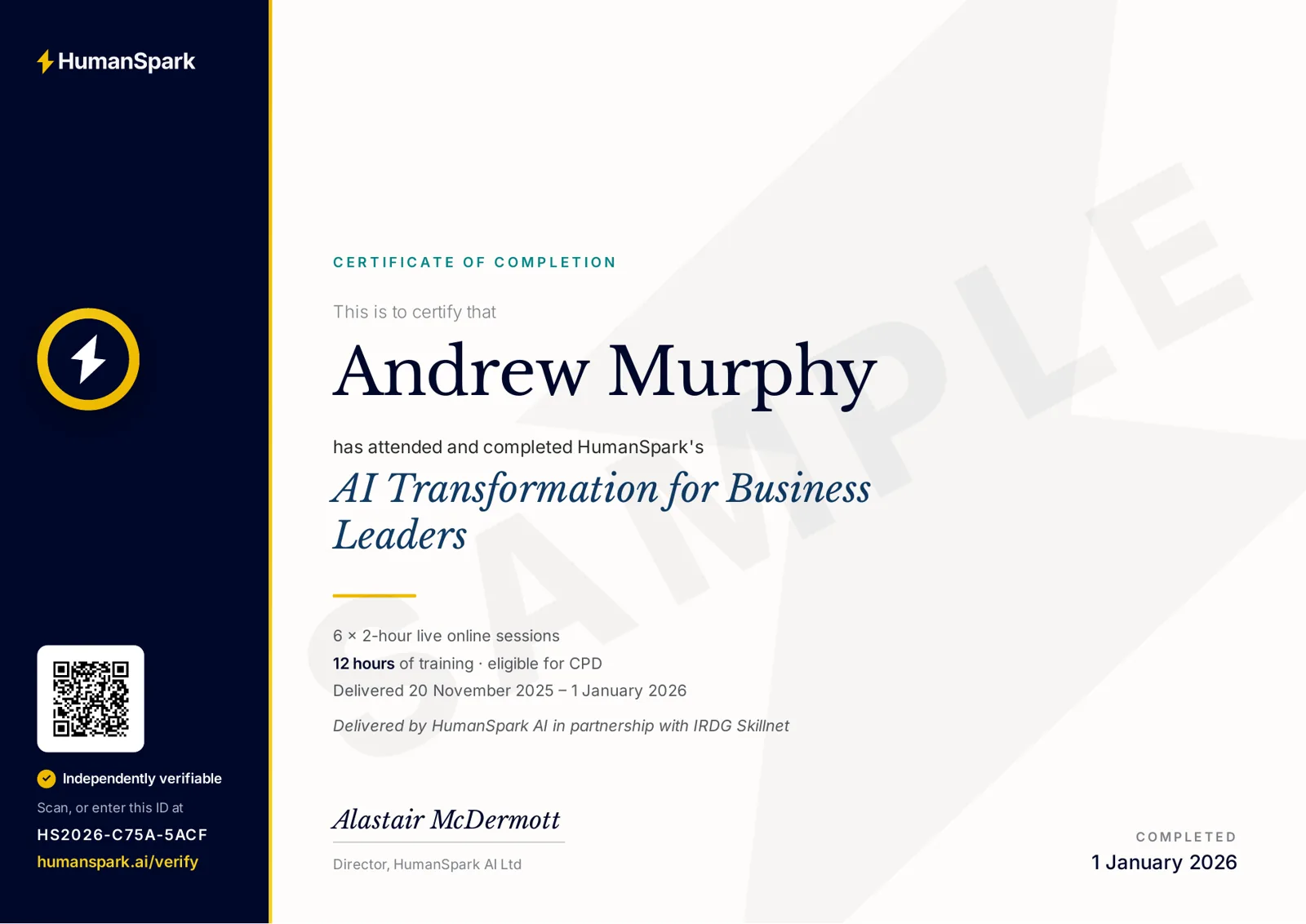
A private issuer that mints training-completion certificates and pushes a minimal verification record to a public verifier.
Technical details and folder layout
- Built with
- Python 3.11+, PyYAML, segno (QR), caldav, SQLite registry; pushes over HTTPS REST
- Size
- About 5k lines, including 3k lines of test code
Cohort details come from intake data and calendar scans, are recorded in a local SQLite registry (the single source of truth, holding the full personal data), and are rendered to PDFs through the document engine with a QR code. Issuance is two-phase: render the whole cohort to staging, then publish, so nothing is half-published. Only a twelve-field projection, with the surname deliberately dropped, is pushed over an authenticated REST call to the public WordPress verifier. Dry-run writes nothing anywhere.
How other tools connect
CLI for the operator; a push-style REST contract to the public verifier plugin.
Folder layout
| src/certforge/issuer.py | two-phase issuance orchestration |
|---|---|
| registry.py | SQLite registry (source of truth) |
| wp_client.py | frozen REST client for the public verifier |
| sparkforge_renderer.py | renders certificates via the document engine |
| calendar_scan.py | finds cohorts from calendar events |
| cli.py | command-line entry |
| tests/ | 28 test files |
| docs/CONTRACT.md | consumer contract for the verification projection |
A single queue of operator commands that arrive from every project, where each item carries its own check and disappears once that check passes.
Technical details and folder layout
- Built with
- Python 3.12, FastAPI, uvicorn (API only), stdlib CLI
- Size
- About 5k lines, including 3k lines of test code
Agents submit items that must include a verify command. A CLI on whatever machine the operator is using re-runs each verify locally; an item is removed only when its verify exits 0, so anything still listed is genuinely outstanding. The small API only stores items and never executes anything; all execution happens in the CLI under the operator's own privileges. Store, models, verify and CLI are standard-library only so the CLI works where the service stack is not installed.
How other tools connect
HTTP API for submitting and listing items; CLI for the operator.
Folder layout
| src/opq/ | api, cli, store, models, verify, service, cache, config |
|---|---|
| ops/ | deployment helpers |
| user-guide.html | walkthrough for operators |
| tests/ | tests |
A two-role autonomous development loop where a supervisor agent and a coding agent coordinate overnight through markdown files.
Technical details and folder layout
- Built with
- Bash and Python scripts, markdown templates, JSON schema; pytest
- Size
- About 4k lines
A single Claude binary runs in two modes switched by system prompt, never simultaneously: a coding agent implements the next task and a supervisor decides whether it satisfied the task, using deterministic checks so the supervisor cannot mark its own homework. A human owns the locked WORKPLAN and the morning review. Coordination is file-only (markdown plus lock files), with no daemons or queues, and a stuck coder can ask for help and resume.
How other tools connect
CLI scripts; markdown coordination files.
Folder layout
| bin/ | run, control, plan, review, evidence and estimate scripts |
|---|---|
| templates/ | WORKPLAN, HANDOFF, context and prompt templates |
| tests/ | large test suite (100 files) |
| docs/ | architecture and notes |
Shared audio and video editing building blocks used by the podcast pipeline and other media projects.
Technical details and folder layout
- Built with
- Python, numpy, scipy, PyYAML; ffmpeg-based rendering
- Size
- About 3k lines, including 1k lines of test code
Six small modules: honest per-channel level and clipping measurement, transcription via an internal speech-to-text service, per-speaker levelling, rendering finished clips from an edit list with two-pass loudness, caption generation from a checked transcript, and detection and reduction of phone-line buzz. Each lesson learned in one project lives here once. It is installed as a commit-stamped wheel and consumers pin the exact version, never an editable install.
How other tools connect
Python library imports and a shell command with subcommands.
Folder layout
| src/mediakit/ | measure, transcribe, level, render, captions, buzz modules plus CLI |
|---|---|
| tests/ | tests |
| docs/CONTRACT.md | consumer contract |
| Makefile | test and install targets |
A WordPress plugin that serves the public certificate verification page from a minimal synced copy of the issuer's data.
Technical details and folder layout
- Built with
- PHP (WordPress plugin), JavaScript and CSS front end, WordPress database table, wp-env for local testing
- Size
- About 1k lines, including 399 lines of test code
It accepts authenticated REST upserts and revocations from the private issuer into a small projection table. A visitor enters a certificate ID (or arrives via the QR code) and the page renders an HTML facsimile of the certificate with a verified banner and detail grid, using self-hosted fonts so it is theme-independent. Verification is ID-only, the page is rate-limited, non-indexed and designed to prevent enumeration. The table is a replica, so a wiped table is recoverable by resyncing from the issuer.
How other tools connect
REST ingest (authenticated) and a public shortcode-driven verify page.
Folder layout
| certforge.php | plugin bootstrap |
|---|---|
| includes/ | REST ingest endpoints and verify logic |
| templates/ | verify page template |
| assets/ | front-end JS, CSS, fonts and a sample certificate image |
| tests/ | smoke runners and visual review harness |
| uninstall.php | destructive cleanup (drops the projection table) |
A bash runner that drives Claude Code non-interactively in a git-checkpointed loop for long unattended coding sessions.
Technical details and folder layout
- Built with
- Bash, git, optional bc; config in YAML
- Size
- About 899 lines
A human writes an immutable WORKPLAN.md; each iteration the runner generates a prompt, runs Claude Code in print mode, and the agent continues from a HANDOFF.md bookmark, commits, and rewrites the handoff. The loop validates the handoff's integrity, backs it up and recovers from corruption, and can score progress. It grew through several versions after real failure modes were found, such as the agent's own commits being missed by the change detector.
How other tools connect
CLI; WORKPLAN.md and HANDOFF.md files as the shared state.
Folder layout
| ccloop | main script |
|---|---|
| lib/ | core, commands and scoring shell libraries |
| ccloop.yml, audit-prompt.md | config and audit prompt |
| docs/ | design and history |
A local-only notebook of experiments about how the AI-assisted engineering process itself performs.
Technical details and folder layout
- Built with
- Markdown and zip packets; no application code
- Size
- No source code
Each experiment folder holds a frozen evidence kit so results can be re-read later without the originating conversation. The first experiment compares agent-team topologies using a blind judge, with three arms built from real projects and a collector and judge instruction set. Inputs are frozen at capture time and never updated.
How other tools connect
None; documents only.
Folder layout
| experiments/ | one folder per experiment with kit, evidence and verdict |
|---|---|
| notes/ | method notes |
A thin collection of notes and recipes for operating on Google Workspace files through a command-line tool.
Technical details and folder layout
- Built with
- Markdown documentation around a Google Workspace CLI; no application code
- Size
- No source code
The repo holds a README of command patterns for listing, reading, uploading and editing Drive and Docs content, along with project scaffolding, templates and early design plans for two other tools. There is no tracked source code, so it acts as a cookbook and workspace rather than an application.
How other tools connect
None beyond documentation.
Folder layout
| README.md | command recipes |
|---|---|
| docs/ | templates and early plans |
Governance and records
Rules, registers and audit records.
A private web app that records and governs the automations the business depends on.
Technical details and folder layout
- Built with
- PHP, Laravel, Livewire, Flux UI, Tailwind, Vite, SQLite, PHPUnit
- Size
- About 62k lines
A register of each automation: what it does, who owns it, what it touches, verification dates and history. Records arrive by CSV import (dry-run preview, then commit) or by a push API; re-imports refresh only the facts the source owns and never overwrite what a person typed. It includes an AI-policy area, an advisor review workflow, open items and an inbox for candidates. Daily backups are restore-tested against a throwaway copy.
How other tools connect
Authenticated private web UI, CSV import and a push API documented in a contract page.
Folder layout
| app/ | Laravel actions, models and Livewire components |
|---|---|
| resources/ | views and front end |
| database/ | migrations and seeds |
| ops/ | deploy, provision and backup scripts |
| tests/ | 144 test files |
| docs/ | contract and design notes |
| routes/ | web and API routes |
The authoritative written business doctrine, kept as versioned documents in git so changes can be traced and searched. Details are private.
An internal audit record of the software estate. Details are private.
At a glance
Every project, largest first
1,369,342 lines of tracked source in all, mostly Python and most of it written in 2026. 554,898 of those lines are test code: lines in test files, not a count of tests. Treat the figures as a rough guide to size, not a measure of effort or output.
| Project | Area | Status | Lines | Lines of test code |
|---|---|---|---|---|
| Sparky | Assistant and attention | live | 160k | 93k |
| Booky | Finance | live | 143k | 83k |
| SparkForge | Content, documents and media | live | 133k | 56k |
| Webby (website) | Content, documents and media | live | 97k | 5k |
| SparkWork | Assistant and attention | live | 85k | 35k |
| ClearMail | live | 83k | 49k | |
| SparkBench | Local inference | live | 80k | 6k |
| FlowReg (automation registry) | Governance and records | live | 62k | - |
| Workstation Dotfiles and Fleet Tooling | Platform | live | 43k | 20k |
| SparkCore | Platform | live | 42k | 21k |
| SparkDash | Assistant and attention | stood down (may return) | 41k | 17k |
| Poddy | Content, documents and media | live | 33k | 11k |
| Voxmachina | Assistant and attention | stood down (may return) | 32k | 19k |
| SparkGate | Platform | live | 30k | 12k |
| SparkFleet | Platform | live | 30k | 12k |
| Hindsight | Content, documents and media | live | 25k | 10k |
| RAG Builder | Assistant and attention | live | 23k | 11k |
| SparkVault | Platform | live | 21k | 9k |
| Personal CFO | Finance | live | 20k | 10k |
| cal-mcp | Assistant and attention | live | 19k | 6k |
| TenderHelper | Assistant and attention | live | 18k | 7k |
| SparkContext | Assistant and attention | live | 14k | 4k |
| Meetingbot | Meetings | live | 14k | 6k |
| SparkRouter | Local inference | live | 14k | 6k |
| SessionPilot | Meetings | experimental | 13k | 6k |
| SparkSynth | Content, documents and media | live | 12k | 6k |
| cal-intent | Assistant and attention | experimental | 11k | 4k |
| mail-mcp | live | 11k | 4k | |
| MeetingMind | Meetings | live | 11k | 5k |
| Briefdeck | Meetings | live | 8k | 3k |
| TidyBot | Utilities | experimental | 6k | 4k |
| mail-outbound | live | 5k | 2k | |
| Waveflow | Meetings | experimental | 5k | 2k |
| CertForge (issuer) | Utilities | live | 5k | 3k |
| opq | Utilities | live | 5k | 3k |
| SimpleLoop | Utilities | experimental | 4k | - |
| meeting-stt | Meetings | live | 3k | 1k |
| MediaKit | Utilities | live | 3k | 1k |
| VoiceMine | Content, documents and media | live | 2k | 233 |
| CertForge verifier plugin | Utilities | live | 1k | 399 |
| ccloop | Utilities | live | 899 | - |
| SparkOS Doctrine | Governance and records | live | 129 | - |
| metawork | Utilities | experimental | 0 | - |
| Drive Ops | Utilities | notes only | 0 | - |
| R&D Audit | Governance and records | private | 0 | - |
| 45 projects | 1,369,342 | 554,898 |
The machines, by role
Four machines, each with a job
A small always-on PC
Schedules, rules, databases, the task system and the gateway assistants connect through.
AMD Ryzen AI Max+ 395, 128 GB
Local language models, speech-to-text and text-to-speech. Measured in the public Local AI data package.
My desk
Used for day-to-day work and as a second copy for recovery.
A small server
Hosts the website and keeps an off-site backup copy.
How the lines were counted: git-tracked source files (Python, shell, JavaScript, HTML, CSS, SQL, templates) on 21 November 2026, excluding vendored code and evidence data. Test code is included and shown separately. Documentation is not counted. Not listed: client projects and private writing, which live in the same system.